Working from home: how proper home office lighting can increase productivity and wellness A lot of us had to move our offices into our homes due to the pandemic, and it quickly became clear that we might be working from home much longer than expected. Because of that, it became really important to set up an environment that supports productivity and keeps us motivated. There are a lot of articles out there offering advice on how to create the best home office, but we wanted to narrow in on one specific topic that often gets overlooked.
Home Office Lighting
It’s one of the most important elements in any space, and it affects both our mood and our overall wellbeing. Good home office lighting isn’t just about being able to see properly. It can impact comfort, focus, fatigue, and even headaches. We’re going to go through the different types of lighting, explain how to choose the right bulbs, and talk about why all of this matters in a home office.
Does natural light make a difference?
It’s definitely harder to stay motivated when you’re working from home, especially with all the distractions that come with it. It’s one thing to get up, have your coffee, and head out to work. It’s another to wake up, have that same coffee, and sit right down at your computer.
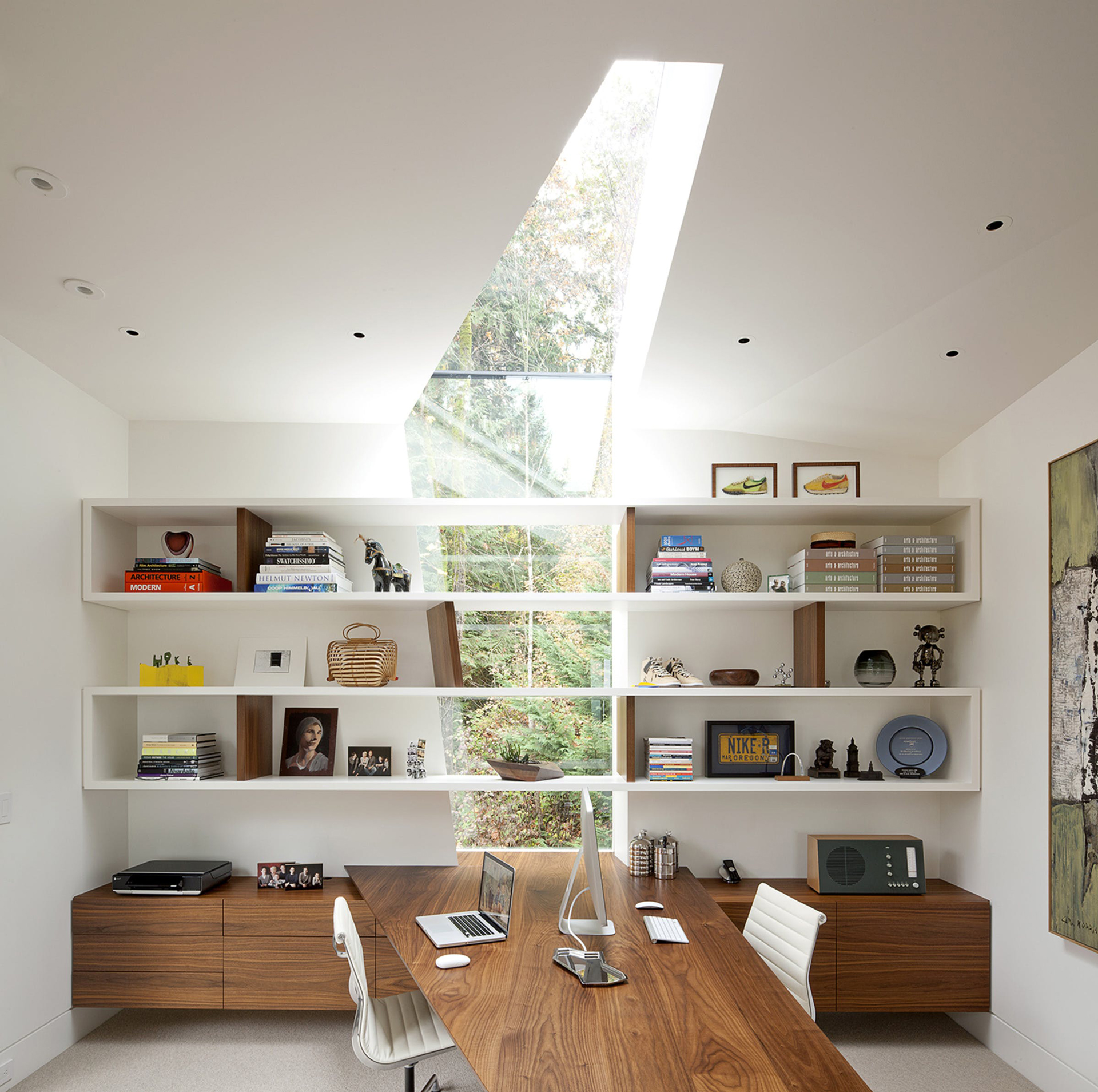
Natural light helps more than people realize. If you don’t have a dedicated office, it’s worth trying to set yourself up somewhere in the house that gets daylight. A naturally lit space can improve health and wellness, and that can help you feel more focused and productive.
Window treatments
There are a few simple ways to maximize natural light in your home office. Window treatments matter. If you already have them, make sure they’re operable so they don’t block light unnecessarily. It’s also helpful to have sheers as an option. Depending on the time of day, direct sunlight can become too strong when you’re working on a computer, and sheers can diffuse the light so you’re not straining your eyes.
Furniture placement matters too. Try to keep the area open and avoid placing large furniture in a way that blocks incoming light. Colour also plays a role. Light finishes reflect light, while darker colours absorb it. Painting trim in a light colour can help bounce natural light around the room, and keeping walls lighter can also help maximize brightness. That said, things get a little more nuanced when you’re working on a computer because you don’t want to introduce glare. That’s where task-based lighting decisions become important.

What is the best lighting while working on a computer?
Staring at screens for long periods has made digital eye strain a very real issue. Proper lighting can help reduce that. Eye strain can come from excessively bright light, whether that’s from the sun or from overly harsh interior fixtures.
So how do you deal with it? The first thing is the location of your computer. Where you set up your workspace matters a lot. Generally, you want to avoid direct light hitting the screen. A bright light source facing the screen can cause glare, and a bright source behind the screen can make it hard to see. When it comes to windows, the best setup is usually to place your desk perpendicular to the window.
Balance your light sources
Balance is really everything here. You want your lighting levels to suit the task, without over-lighting the room. Most spaces have three main types of lighting: natural light, overhead light, and task lighting.
Natural light is great, but because it changes throughout the day, you still need reliable interior lighting. The fixture itself and the type of bulb you use both matter. Indirect ceiling fixtures tend to distribute light more evenly, and frosted globes can soften it further. A dimmer is also a huge help because it lets you adapt the room as the light changes or as the tasks in the room change. Home office by day, dinner table by night.
A small desk lamp can also be useful, as long as it’s pointed away from the screen. The screen already emits light, so the goal is not to wash it out. The big thing to remember is that you want to avoid too much contrast between your screen and the room around it. And that leads directly into bulb selection.
How do I pick the right light bulb?
We all know natural sunlight gives us energy. You can feel the difference on a sunny day compared to a rainy one. The right light bulb can have a similar effect. Walking into a place like Home Depot and trying to choose a bulb from the giant wall of options can feel overwhelming. I’ve definitely been there. To make it simpler, there are three main decisions to think about.
Decision 1: Incandescent, CFL, Halogen or LED?
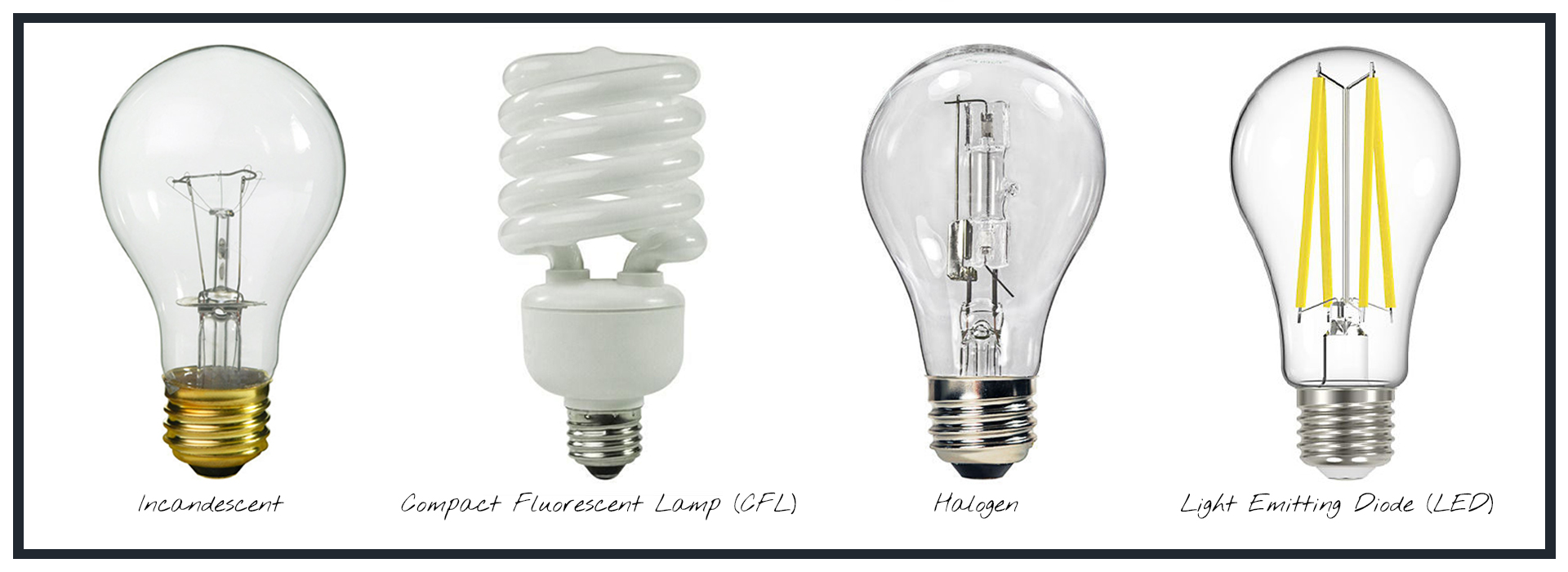
There are a lot of bulb types, but the most common in homes are incandescent, compact fluorescent (CFL), halogen, and LED. Most homeowners usually end up choosing between incandescent and LED. Incandescent bulbs are the traditional warmer bulbs. They tend to be the cheapest off the shelf, but they aren’t very energy efficient and they burn out more quickly.
CFL bulbs became a popular alternative because they last longer and are more efficient, but they contain mercury, which makes handling and disposal more complicated.
Halogen bulbs give off a bright white light similar to daylight, but they run very hot and can become a safety concern around flammable materials. Because of that, they’re generally the least recommended.
LED bulbs are what we always recommend. Yes, they cost more upfront, but they last much longer, use less energy, and are available in a wide range of colour temperatures and styles. They’ve also come a long way in terms of dimmability. One quick tip here: a dimmable bulb can be used on a non-dimmable circuit, but a non-dimmable bulb should not be used on a dimmable circuit.
Decision 2: What Watts, type and lumens do you need?
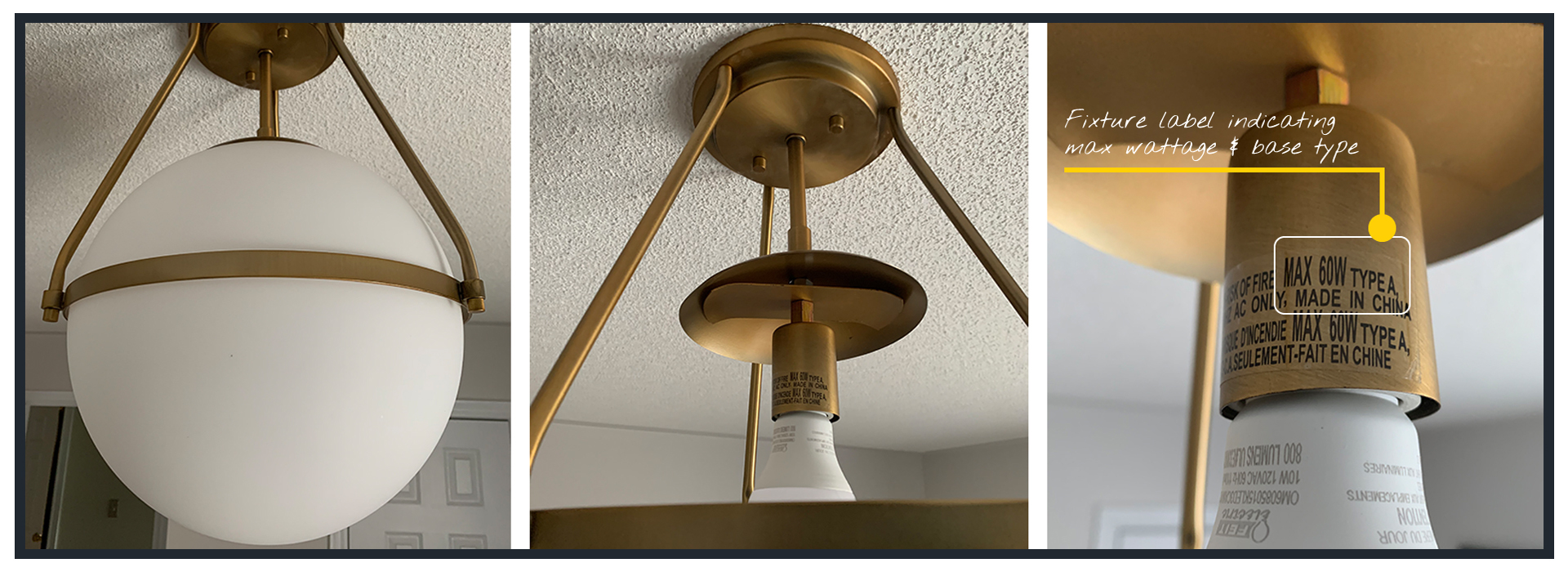
The first thing to do is check the label on your light fixture. Every fixture has a sticker near the socket that tells you the type of bulb it takes and the maximum wattage it can handle.
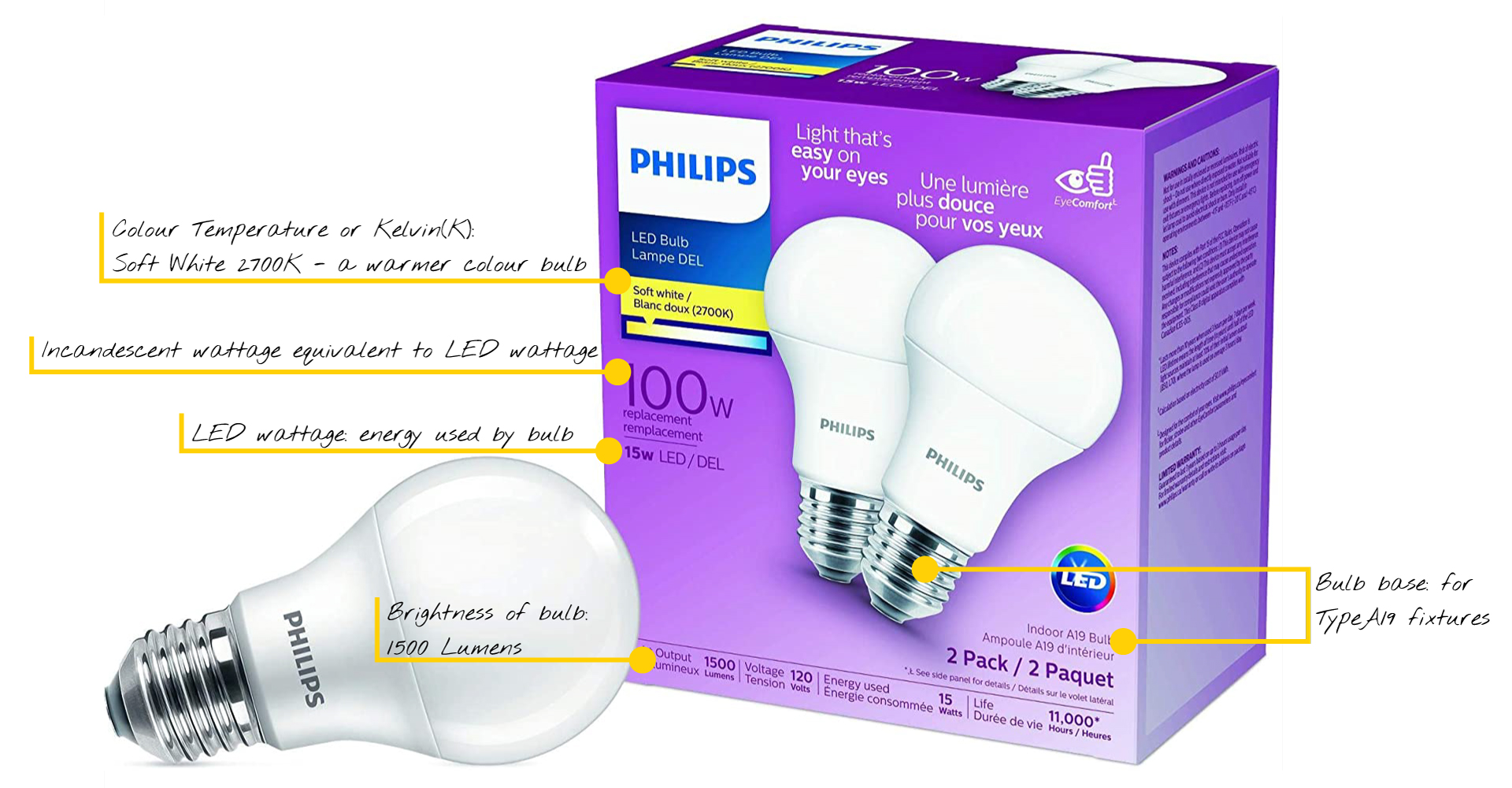
Type tells you the base size, such as Type A or E26. Watts tell you how much electricity the bulb uses. LED packaging often shows the incandescent equivalent to make it easier to compare. And it’s important not to exceed the wattage listed on the fixture, because overheating can become a fire risk.
Lumens tell you how bright the bulb is
The higher the lumen number, the brighter the light. Most people don’t naturally know what 1600 lumens looks like, but many people do know what a 100-watt bulb feels like. We’re not going deep into lighting calculations here because that can get very technical very quickly, but it’s useful to understand that a fixture with one bulb can still be extremely bright depending on what bulb is installed.
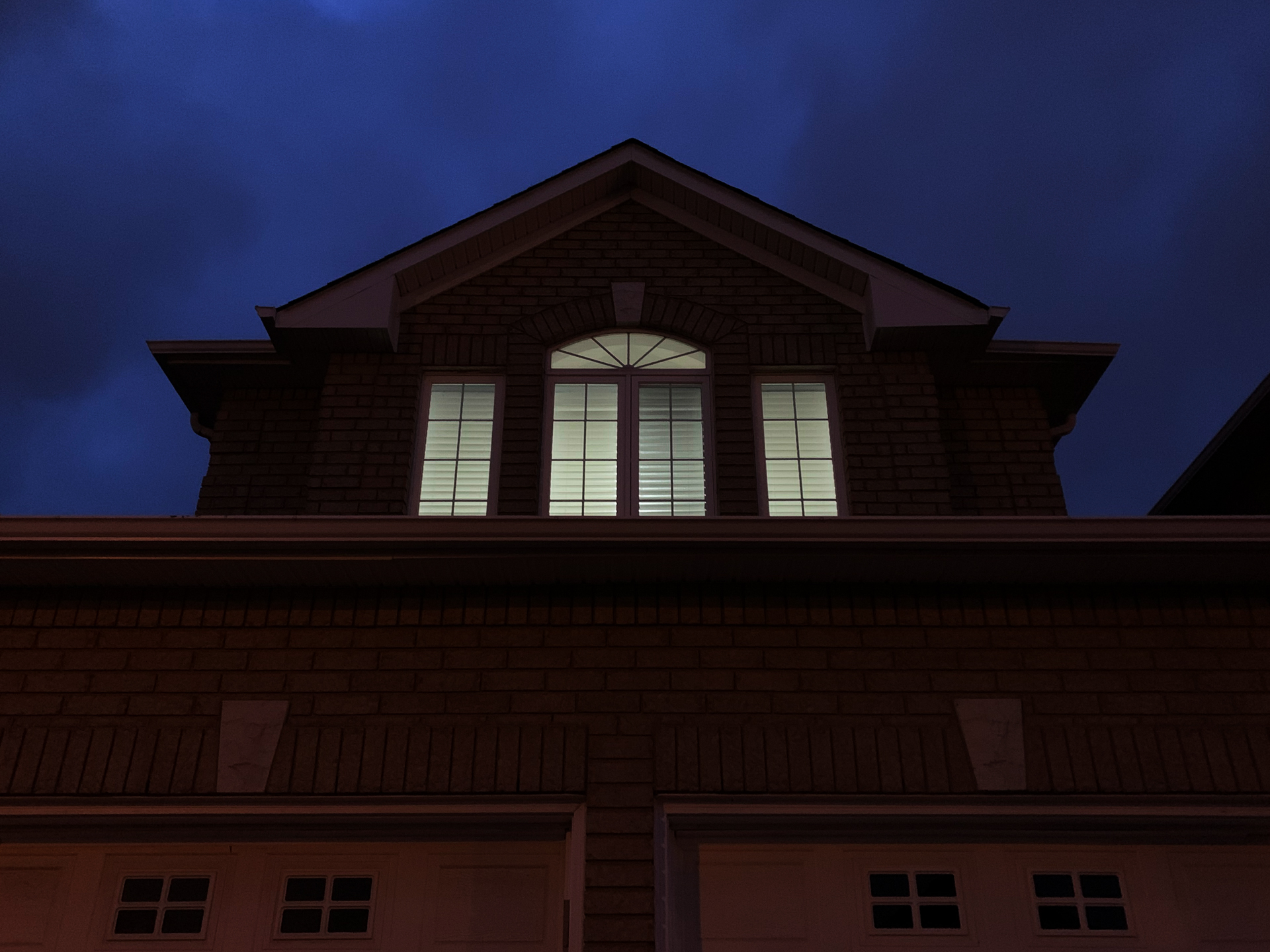
For example, in my upstairs living room, I had a fixture that only needed one bulb. The only one I had around was a Sylvania 23W LED, equivalent to 100W and 1600 lumens. It was so bright you could practically land planes with it. Sinziana once dropped something off in the evening and joked that she could spot the light from down the street.
That’s why this matters so much in a home office. For a fairly typical home office around 100 square feet, you’re often dealing with one ceiling fixture, a few windows, and maybe a desk lamp. In general, you’re looking at a range of around 6,000 to 8,000 lumens.
If you have a fixture with many bulbs, like a 12-light sputnik chandelier, the numbers add up quickly. Twelve LED bulbs at 800 lumens each already bring you to 9,600 lumens. Depending on the room, that may be far too much, especially with good natural light and reflective surfaces. In that case, switching to lower-lumen bulbs may bring you back into a more comfortable range.
Decision 3: What colour temperature do I need?
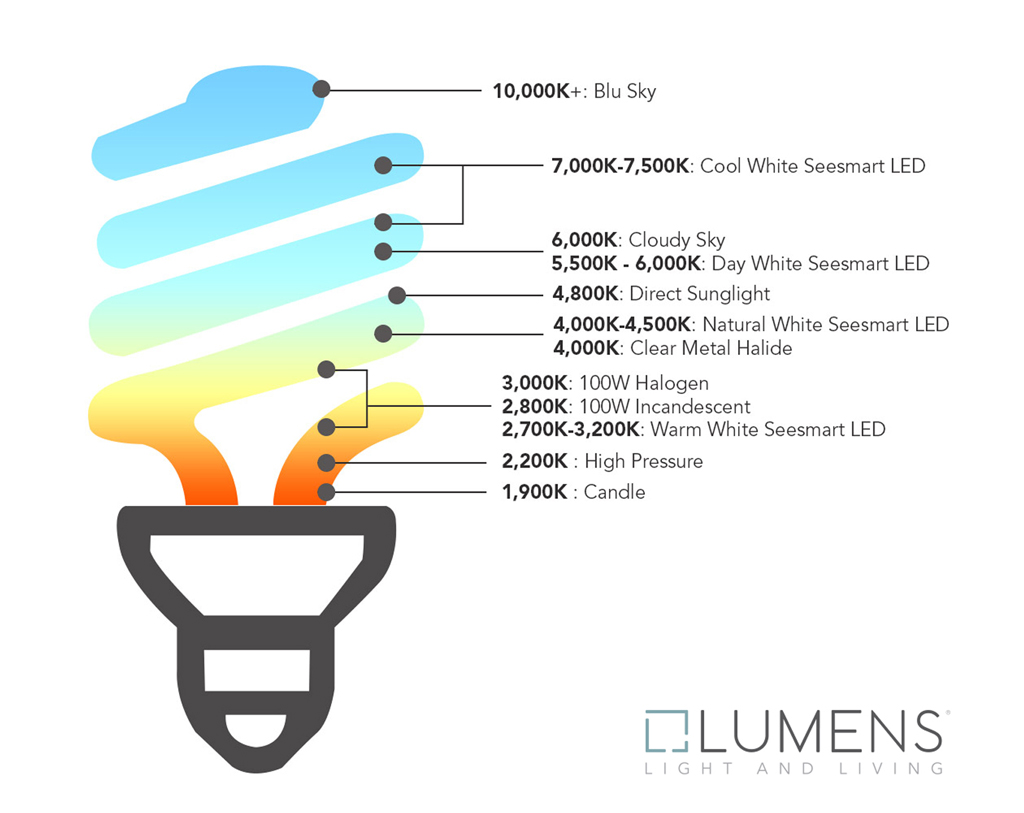
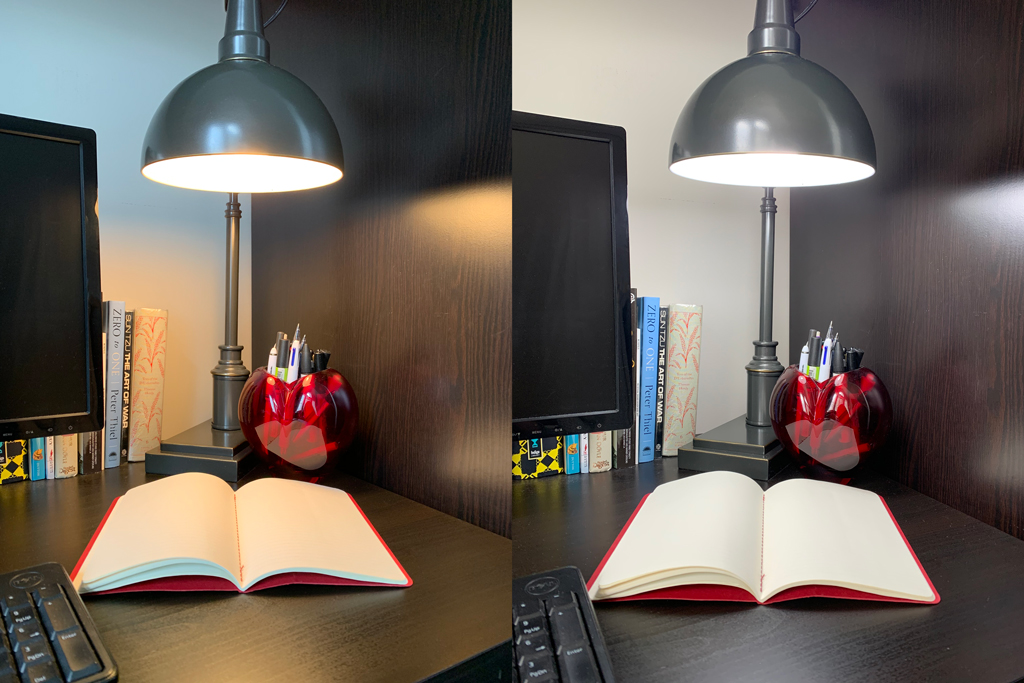
Colour temperature, measured in Kelvin, is one of the most important parts of choosing a light bulb. It tells you whether the light will feel warm and yellow or cool and blue. The lower the Kelvin number, the warmer the light. The higher the number, the cooler the light.
For a home office, we usually recommend something in the 3500K to 5500K range. Below 3500K starts to feel cozier and more relaxing. Above that range can become too blue and harsh on the eyes. Someone once accidentally bought a 7000K bulb, which I honestly didn’t even know Home Depot carried, and the room felt like a Men in Black memory-erasing scene. It was dizzying. That bulb did not last long.
Key points to lighting your home office
That was a lot of information, so thank you for hanging in there. The big takeaways are these. Lighting matters, especially in a home office. Every room should be lit based on how it’s used. Use a mix of natural, overhead, and task lighting. If you don’t have a dedicated office, try to choose a spot with natural light. We almost always recommend LED bulbs because they’re efficient and last a long time. And when choosing bulbs, make sure you pay attention to both wattage and colour temperature.
Good home office lighting can make a real difference in how you feel and how you work.


Leave a Reply
You must be logged in to post a comment.